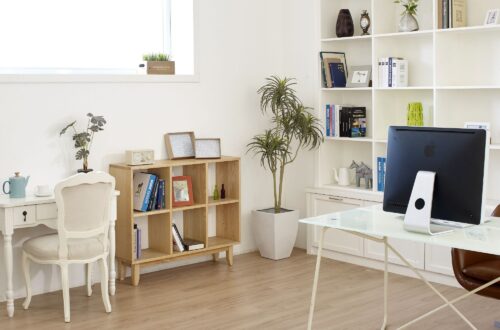

10 Best Desk Upgrades from Amazon: Ergonomics, Organization & Cable Management
Table of Contents
Most home office desks aren’t the problem. The setup on top of them is. A tangle of cables, a laptop at the wrong height, a screen you have to squint at, nowhere to put your phone — these are the small frictions that add up to hours of discomfort and distraction over a working week.
The good news: you don’t need a new desk. You need the right additions to the one you have. The 10 products below cover every meaningful upgrade category — monitor positioning, laptop ergonomics, desk lighting, cable management, charging, organization, and comfort — all available on Amazon, all chosen for build quality and daily impact.
Whether you work from home full-time or just need a better setup for evenings and weekends, these are the upgrades that make the biggest difference.
How We Chose These Upgrades
Every product on this list had to solve a real, common problem — not just look good in a setup photo. We prioritized items with proven build quality, strong verified review counts, and meaningful ergonomic or organizational benefit. Where possible, we chose metal or wood over plastic, and products from brands with reliable customer support. Price range was also considered: this list covers budget-friendly quick wins alongside higher-investment pieces that genuinely earn their cost over years of daily use.
TL;DR — Quick Picks
- Best monitor upgrade: HUANUO Dual Monitor Stand — frees desk space, full motion adjustability
- Best laptop riser: Nulaxy Telescopic 360° Laptop Stand — 20″ height range, 360° rotation
- Best desk surface: CENNBIE Large PU Leather Desk Pad — 63″x31″ waterproof, protects and unifies
- Best cable fix: Univivi 36″ Under-Desk Cable Tray — hides power strips and cords instantly
- Best organizer: Pandorama Bamboo Desk Organizer — A4 drawers, adjustable file holder
- Best lighting: Quntis Monitor Light Bar PRO+ — no glare, auto-dimming, remote control
- Best charging: Anker MagGo 3-in-1 Wireless Charging Station — phone, earbuds, watch
- Best hidden storage: Mount-It! Under-Desk Keyboard & Mouse Tray — slides away, gel wrist pad included
- Best wrist comfort: VAGAU Memory Foam Wrist Rest Set — keyboard + mouse, non-slip base
- Best desk structure: Bamboo Monitor Shelf Riser with Keyboard Storage — two-tier desk in one
⭐ Our Top Pick
HUANUO Dual Monitor Stand
The single highest-impact desk upgrade for anyone running two screens
If you use two monitors, nothing else on this list will change your desk setup as dramatically as a proper dual monitor arm. The HUANUO frees up the desk surface both screens currently occupy, positions each one at the correct eye level and angle, and routes cables along the arms so they disappear entirely. It’s the upgrade that makes everything else feel cleaner.
Check price on Amazon →All 10 Desk Upgrades at a Glance
| Product | Category | Key Feature | Best For | Price |
|---|---|---|---|---|
| HUANUO Dual Monitor Stand ⭐ | Monitor positioning | Full-motion gas spring arms, cable mgmt | Dual monitor users | $$$ |
| Nulaxy 360° Laptop Stand | Laptop ergonomics | 360° rotation, up to 20″ height | Laptop-primary users | $$ |
| CENNBIE Large Desk Pad 63″ | Desk surface | 63″ wide, waterproof PU leather | Large or standing desks | $$ |
| Univivi 36″ Cable Tray | Cable management | No-drill, hides power strip + all cables | Cable clutter elimination | $$ |
| Pandorama Bamboo Organizer | Organization | A4 drawers, adjustable file holder, bamboo | Documents + stationery storage | $$ |
| Quntis Monitor Light Bar PRO+ | Lighting | No-glare, auto-dimming, CRI95, remote | Eye strain reduction | $$ |
| Anker MagGo 3-in-1 Charger | Charging | MagSafe + Qi + Watch, 3 devices at once | Eliminating charging cables | $$$ |
| Mount-It! Keyboard Tray | Keyboard storage | Slides under desk, gel wrist pad, adjustable | Small desks, multi-use workspaces | $$ |
| VAGAU Wrist Rest Set | Wrist comfort | Memory foam, keyboard + mouse matching set | Wrist strain reduction | $ |
| Bamboo Monitor Shelf Riser | Desk structure | Two-tier layout, keyboard storage below | Single monitor users, small desks | $$ |
The 10 Best Desk Upgrades
BEST MONITOR UPGRADE
Best Monitor Upgrade
HUANUO Dual Monitor Stand
Fits 13–32″ screens • Full-motion gas spring arms • C-clamp & grommet mount • Built-in cable management
The highest-impact single desk upgrade for dual-monitor users. Two full-motion gas spring arms replace screens sitting flat on your desk with adjustable mounts that position each monitor at the right height, angle, and distance — freeing significant desk surface in the process. Each arm holds up to 19.8 lbs, supports 13–32″ screens, and adjusts independently for swivel, tilt, and rotation.
Built-in cable clips route monitor cables along the arms and out of sight. C-clamp and grommet mounting both included. Compatible with VESA 75×75 and 100x100mm patterns.
Check price on Amazon →If you use two monitors — or want to — the HUANUO dual monitor stand is the single highest-impact desk upgrade on this list. It replaces two screens sitting flat on your desk with two fully adjustable arms that let you position each monitor at exactly the right height, angle, and distance. The result is more desk space, better posture, and a cleaner setup.
Each arm uses a gas spring mechanism for smooth, effortless height and tilt adjustment. The arms support monitors from 13 to 32 inches, with each arm holding up to 19.8 lbs. Full-motion means you can swivel, tilt, rotate, and extend each arm independently — useful if you use one screen for reference and one for active work, or if you share a screen during calls.
Both C-clamp and grommet mounting options are included. Built-in cable clips route monitor cables along the arms and out of sight, which on its own eliminates a significant source of desk clutter.
What it’s great for: Anyone running two monitors who wants to reclaim desk surface, improve their viewing ergonomics, and clean up their cable situation in one move.
One thing to note: Requires space behind the monitor arms to bend at the elbow — measure your desk depth before buying. Also confirm your monitors are VESA compatible (75×75 or 100x100mm).
BEST LAPTOP RISER
Best Laptop Riser
Nulaxy Telescopic 360° Rotating Laptop Stand
Fits 10–17″ laptops • Height up to 20″ • 360° swivel • 0°–120° tilt • Supports 22 lbs
Raises your laptop to eye level and lets you adjust height anywhere from nearly flat to 20 inches — covering both sitting and standing desk setups. The 360° rotation is what makes this stand stand out: spin the laptop to face a colleague, rotate for a presentation, or pivot between landscape and portrait without picking the laptop up. Tilt adjusts from 0° to 120°.
Supports up to 22 lbs. Compatible with all laptops up to 17″ including MacBook, Dell, Lenovo, and Surface. Folds flat for portability.
Check price on Amazon →Using a laptop flat on a desk puts your screen at the wrong height and your neck at the wrong angle — within an hour, you feel it. The Nulaxy telescopic stand fixes this by raising your laptop to eye level and letting you adjust the height anywhere from nearly flat to 20 inches high, covering both sitting and standing desk setups.
The 360° rotation is the feature that makes this stand genuinely different from a basic riser. You can spin the laptop to face a colleague during a call, rotate it for a presentation, or pivot it between landscape and portrait without picking the laptop up. The tilt adjusts from 0° to 120°, which means you can use it as a flat reading stand or a near-vertical display.
It supports up to 22 lbs and folds flat for portability — useful if you move between workspaces or travel. Compatible with all laptops and tablets up to 17″, including MacBook, Dell, Lenovo, and Surface.
What it’s great for: Home office workers who use a laptop as their primary screen, sit-stand desk users, and anyone who takes calls where sharing the screen is easier than turning a monitor.
One thing to note: Using a laptop on a stand works best paired with an external keyboard and mouse — otherwise the keyboard is too high for comfortable typing.
BEST DESK SURFACE UPGRADE
Best Desk Surface Upgrade
CENNBIE Large PU Leather Desk Pad (63″ × 31.4″)
PU leather • 63″ × 31.4″ • Waterproof • Non-slip rubber base • Mouse pad + desk protector in one
At 63 inches wide, this desk pad covers most full-size and standing desks edge to edge — far larger than the typical 35–48″ alternatives. It unifies the entire surface visually, makes mouse movement smoother, prevents scratches, and reduces typing noise. The PU leather surface is waterproof and wipes clean in seconds.
Non-slip rubber base keeps the mat firmly in place. Available in black, grey, green, and other colors. One of the easiest visual upgrades you can make to a desk setup.
Check price on Amazon →A desk mat does more than protect your desk surface. A large one — and this CENNBIE pad at 63 inches wide is genuinely large — unifies the entire surface visually, giving a clean, intentional look to even a cluttered desk. It also makes mouse movement smoother, prevents scratches, and reduces the echo of typing on a hard desk surface.
The PU leather surface is waterproof and easy to wipe down — spilled coffee, ink, or food cleans up in seconds. The non-slip rubber base keeps the mat firmly in place even when you’re moving the mouse quickly or rearranging items. Available in several colors including black, grey, and green.
At 63″ x 31.4″, it covers most full-size desks edge to edge. This is meaningfully larger than most desk pads, which typically max out at 35–48 inches — if you have a standing desk or large work surface, this is one of the few options that actually covers it properly.
What it’s great for: Anyone with a larger desk who wants a clean, unified surface look, easy spill cleanup, and a proper mouse surface without buying a separate mousepad.
One thing to note: The PU leather surface is smooth rather than textured — ideal for most optical mice but check compatibility if you use a laser mouse.
BEST CABLE MANAGEMENT
Best Cable Management
Univivi 36″ No-Drill Under-Desk Cable Management Tray
36″ L × 5.5″ W × 5.5″ H • Premium fabric • C-clamp (no-drill) or screw mount • Hides power strip + all cables
Mounts under your desk and contains your power strip, adapter bricks, and all cables in a single hidden compartment — keeping the floor and desk surface completely clear. The fabric construction is flexible enough to fit a full power strip and multiple adapters together without forcing anything. Attaches with a no-drill C-clamp or traditional screws.
At 36 inches, it spans a significant portion of a standard desk. This single upgrade can transform the visual cleanliness of a setup more dramatically than almost any other product on this list.
Check price on Amazon →Cables under a desk are the most common source of home office chaos — power strips, laptop chargers, monitor cables, and USB hubs tangled together on the floor or hanging loose. This Univivi fabric tray mounts under your desk and contains all of it in a single hidden compartment, keeping the floor and desk surface completely clear.
The fabric construction is softer and more flexible than metal trays, which makes it easier to fit a power strip, adapter brick, and multiple cables together without forcing anything. It attaches with either a C-clamp (no tools, no damage to the desk) or traditional screws for a more permanent install — useful if you rent.
At 36 inches, it spans a significant portion of a standard desk. The opening faces down, so cables drop in easily and stay hidden from view. This single upgrade can transform the visual cleanliness of a setup more dramatically than almost any other product on this list.
What it’s great for: Anyone whose power strip, chargers, and cables currently live on the floor or hang loose under the desk. Renters particularly benefit from the no-drill C-clamp option.
One thing to note: Measure the underside of your desk before buying — the tray needs clearance to hang. Works best on desks at least 28 inches deep.
BEST DESK ORGANIZER
Best Desk Organizer
Pandorama Bamboo Desk Organizer with A4 Drawers
Solid bamboo • A4-sized drawers • Adjustable file holder • Fully assembled • Multiple compartments
A desk organizer large enough to hold A4 documents in its drawers, with an adjustable file holder for folders and notebooks, and multiple compartments for pens, accessories, and small items. Made from solid bamboo — naturally antimicrobial, durable, and genuinely attractive on a desk. Arrives fully assembled with no tools required.
Drawers keep larger items out of sight but accessible. The adjustable file holder adapts to whatever you store. Far more useful and better looking than plastic alternatives at a similar price.
Check price on Amazon →Most desk organizers are either too small to be useful or too ugly to leave on display. The Pandorama bamboo organizer avoids both problems: it’s large enough to hold A4-sized documents in its drawers, has an adjustable file holder for folders and notebooks, and is made from solid bamboo that looks genuinely good on a desk.
It arrives fully assembled — no tools, no frustrating flat-pack construction. The multiple compartments handle pens, scissors, sticky notes, and small accessories, while the drawers keep larger items (documents, cables, chargers) out of sight but accessible. The adjustable dividers in the file holder section mean it adapts to whatever you store there.
Bamboo is naturally antimicrobial, durable, and far more aesthetically consistent than plastic alternatives. It pairs well with wooden desk furniture and sits comfortably alongside the desk mat and shelf riser elsewhere in this list.
What it’s great for: Anyone who keeps documents, stationery, and accessories on their desk and wants a single, cohesive organizer that looks like it belongs there rather than something from a supply room.
One thing to note: Bamboo may vary slightly in shade between units — this is natural variation, not a defect.
BEST DESK LIGHTING
Best Desk Lighting
Quntis Monitor Light Bar PRO+ with Remote Control
Fits curved & flat monitors • 3000K–6500K • CRI95 • Auto-dimming • Remote control • USB powered
Sits on top of your monitor and points light downward onto your desk and keyboard — with asymmetric optics designed to cast zero glare on the screen itself. Adjustable color temperature from 3000K (warm) to 6500K (cool daylight), CRI95 for accurate color rendering, and auto-dimming that adjusts based on ambient light.
Remote control lets you adjust brightness and color temperature without touching the lamp. USB powered from your monitor, computer, or hub. Compatible with both flat and curved monitors (0.12″–2.36″ thick).
Check price on Amazon →Overhead lighting in a home office is almost always inadequate — either too bright (causing glare on your screen), too dim (causing eye strain), or pointed in the wrong direction. A monitor light bar solves this specifically: it sits on top of your screen, points light downward onto your desk and keyboard, and is designed by optics to cast zero glare on the screen itself.
The Quntis PRO+ uses an asymmetric optical design that illuminates the desk surface and keyboard without any reflection appearing on the monitor — a genuine problem with desk lamps and overhead lights. The color temperature adjusts from 3000K (warm) to 6500K (cool daylight), and the CRI95 rating means colors appear accurate and natural.
Auto-dimming adjusts the light level based on ambient conditions, and the remote control lets you change brightness and color temperature without touching the lamp. USB powered — plugs into any USB port on your monitor, computer, or hub. Compatible with both flat and curved monitors up to 2.36″ thick.
What it’s great for: Anyone who works late, uses a second monitor, edits photos or video where color accuracy matters, or simply finds their workspace too dark or harshly lit.
One thing to note: Check that your monitor’s top edge is thick enough (minimum 0.12″) to support the weighted clip. Works on most standard monitors.
BEST WIRELESS CHARGING
Best Wireless Charging
Anker MagGo 3-in-1 Wireless Charging Station
MagSafe-compatible • Charges phone + earbuds + watch simultaneously • Up to 15W • Compact footprint
Replaces three separate charging cables with one compact unit that charges your phone, earbuds, and smartwatch simultaneously. MagSafe compatible for iPhone users (up to 15W fast wireless charging). Anker is the benchmark for third-party charging accessories — reliable, well-reviewed, and properly warranted.
Small footprint sits neatly beside your monitor arm or organizer. Your devices charge automatically when you sit down — no plugging in required. Eliminates charging cable clutter from the desk permanently.
Check price on Amazon →A charging station on the desk replaces three separate cables and three separate plugs with one compact unit that charges your phone, earbuds, and smartwatch simultaneously. The Anker MagGo does this with MagSafe compatibility for iPhone users (up to 15W fast wireless charging), plus a Qi pad for earbuds and an Apple Watch charging puck.
Anker is the benchmark for third-party charging accessories — their products are consistently reliable, well-reviewed, and backed by a solid warranty. This particular unit has a small enough footprint to sit beside your monitor arm or organizer without taking up significant desk space.
For anyone whose desk currently has multiple charging cables lying around, this consolidates everything into one tidy unit. It also means your devices charge automatically when you sit down, rather than requiring you to plug in manually.
What it’s great for: iPhone users (MagSafe) or Android users with Qi-compatible devices who want to eliminate charging cable clutter from their desk permanently.
One thing to note: MagSafe fast charging (15W) requires a compatible iPhone. Android and older iPhone models charge at standard Qi speeds. Confirm your watch charging compatibility before buying.
BEST HIDDEN KEYBOARD STORAGE
Best Hidden Keyboard Storage
Mount-It! Under-Desk Keyboard & Mouse Tray
Slides under desk • Gel wrist pad included • Tilt + swivel + height adjustment • Bolt-on mount
Moves your keyboard and mouse beneath the desk surface on a sliding mechanism — pull it out when working, push it away when you need the full desk for other tasks. Tilt, swivel, and height adjustment keeps your wrists at the right angle. Built-in gel wrist pad eliminates the need for a separate keyboard wrist rest. Mouse platform adjusts independently.
Particularly valuable for smaller desks or setups where you alternate between computer work and other desk activities. Bolt-on installation — check your desk material before buying.
Check price on Amazon →If your keyboard and mouse live on top of your desk, they’re taking up surface area that could be clear. An under-desk keyboard tray moves both beneath the desk surface on a sliding mechanism — pull it out when you’re working, push it away when you need the full desk for other tasks.
The Mount-It! tray includes tilt, swivel, and height adjustment so you can set the keyboard at exactly the angle that keeps your wrists neutral during typing. A gel wrist pad is built into the tray, eliminating the need for a separate wrist rest for keyboard use. The mouse platform is adjustable independently.
This upgrade is particularly valuable for smaller desks where surface space is genuinely limited, or for setups where you alternate between computer work and other activities (drawing, writing by hand, physical documents) on the same desk.
What it’s great for: Anyone with a small desk, or who regularly clears their desk for non-computer work and is tired of moving the keyboard and mouse every time.
One thing to note: Bolt-on installation requires drilling into the underside of the desk — check your desk material first. Not suitable for glass desks.
BEST WRIST COMFORT
Best Wrist Comfort
VAGAU Memory Foam Wrist Rest Set (Keyboard + Mouse)
Memory foam • Lycra fabric cover • Non-slip base • Matching keyboard + mouse set
Includes both a keyboard wrist rest and a mouse wrist rest in a matching design. Memory foam conforms to the shape of your wrist rather than a fixed rigid surface — distributing pressure more evenly during extended typing and mousing sessions. The Lycra fabric cover is breathable and easy to wipe clean.
Non-slip bases keep both rests in position during use. One of the easiest comfort upgrades on this list — minimal investment, real daily benefit for anyone who types or uses a mouse for several hours a day.
Check price on Amazon →Wrist strain from typing and mousing is one of the most common causes of long-term discomfort for desk workers. A wrist rest doesn’t fix bad posture, but it meaningfully reduces the pressure on your wrists and forearms during extended sessions — particularly during periods of high keyboard or mouse activity.
The VAGAU set includes both a keyboard wrist rest and a mouse wrist rest in matching design, so they look cohesive on the desk. Both use memory foam that conforms to the shape of your wrist rather than a fixed rigid surface, which distributes pressure more evenly. The Lycra fabric cover is breathable and easy to wipe clean.
Non-slip bases keep both rests in position during use. At this price point, this is one of the easiest comfort upgrades on the list — the investment is minimal, the daily benefit is real.
What it’s great for: Anyone who types or uses a mouse for more than a few hours per day and notices wrist or forearm discomfort. Also a good complement to the keyboard tray above.
One thing to note: Wrist rests are most effective when used as a resting point between bursts of typing, not a surface to type on continuously. For continuous typing, the wrist should float above the keyboard.
BEST DESK STRUCTURE UPGRADE
Best Desk Structure Upgrade
Bamboo Monitor Shelf Riser with Keyboard Storage
Solid bamboo • Elevated monitor shelf • Keyboard + accessories storage below • No installation required
Creates a two-tier desk layout without any installation. Your monitor or laptop sits on the elevated surface at a more ergonomic eye level, while the space underneath becomes a natural home for your keyboard, mouse, notebooks, or accessories. Everything has a level — which creates visual order without requiring discipline to maintain.
Solid bamboo construction is stable under monitor weight and durable over years of daily use. Natural finish works in any home office aesthetic. No tools, no drilling — just place it on the desk and start using it.
Check price on Amazon →This bamboo shelf riser creates a two-tier desk layout without any installation. Your monitor or laptop sits on the elevated surface at a more ergonomic eye level, while the space underneath becomes a natural home for your keyboard, mouse, notebooks, or any item you want off the main desk surface but within reach.
The result is a desk that feels significantly larger and more organized, because everything has a level. Items on the raised shelf are clearly separated from items at desk level, which creates visual order without requiring any discipline to maintain — things naturally go where they fit.
Solid bamboo construction means it’s stable under the weight of a monitor and durable over years of daily use. The natural finish works in any home office aesthetic and pairs well with the bamboo organizer above.
What it’s great for: Anyone whose monitor sits too low (causing neck strain) or whose keyboard, mouse, and accessories compete for desk space with no clear organization.
One thing to note: Measure your monitor’s base width before buying — some ultrawide monitor stands are wider than standard shelf risers. Also confirm the height elevation works with your chair and desk combination.
FAQ
What’s the most impactful single desk upgrade?
For most people, it’s monitor positioning — either a dual monitor arm (if you use two screens) or a monitor shelf riser (if you use one). Getting your screen at the correct eye level eliminates neck and shoulder strain that compounds over years of desk work. Everything else is secondary to this.
Do I need a wrist rest if I already have a keyboard tray?
The Mount-It! keyboard tray above includes a built-in gel wrist pad, so if you go that route you don’t need a separate wrist rest for the keyboard. The VAGAU mouse wrist rest is still useful, as the keyboard tray’s mouse platform doesn’t include one.
Will a monitor light bar work on a curved monitor?
Yes — the Quntis PRO+ is specifically designed to fit both flat and curved monitors. The upgraded weighted clip and adjustable front/rear cover accommodate most monitor thicknesses from 0.12″ to 2.36″.
Is the Anker MagGo charging station compatible with Android phones?
Yes, via standard Qi wireless charging — though MagSafe fast charging (15W) is iPhone-specific. Android phones with Qi charging will charge at their standard wireless speed. The Apple Watch puck is Apple Watch specific; Android smartwatches would need their own charger.
Do I need any tools for these installations?
Most of these products require no tools at all — the monitor arm, laptop stand, desk pad, cable tray (clamp version), desk organizer, wrist rests, and shelf riser all install without drilling. The keyboard tray requires bolt-on installation which involves drilling into the underside of the desk. Check your desk material before purchasing that one.
Related Reads
- 5 Best Electric Standing Desks Built to Outlast Trends
- 5 Best Electric Standing Desks for Small Offices
- 5 Best Ergonomic Office Chairs: Tested for Long Hours
- Cable Management Tray: 5 Pro-Grade Under-Desk Kits
- Upgrade Your Home Office with Top-Rated Organization Ideas
Affiliate Disclosure: This article contains affiliate links. Purchasing through our links may earn us a small commission at no extra cost to you. Thank you for supporting lessisanewmore.com.


You May Also Like

5 Best Ergonomic Office Chairs: Tested for Long Hours, Back Pain & Remote Work
Upgrade Your Home Office with These Top-Rated Home Organization Ideas from Amazon