
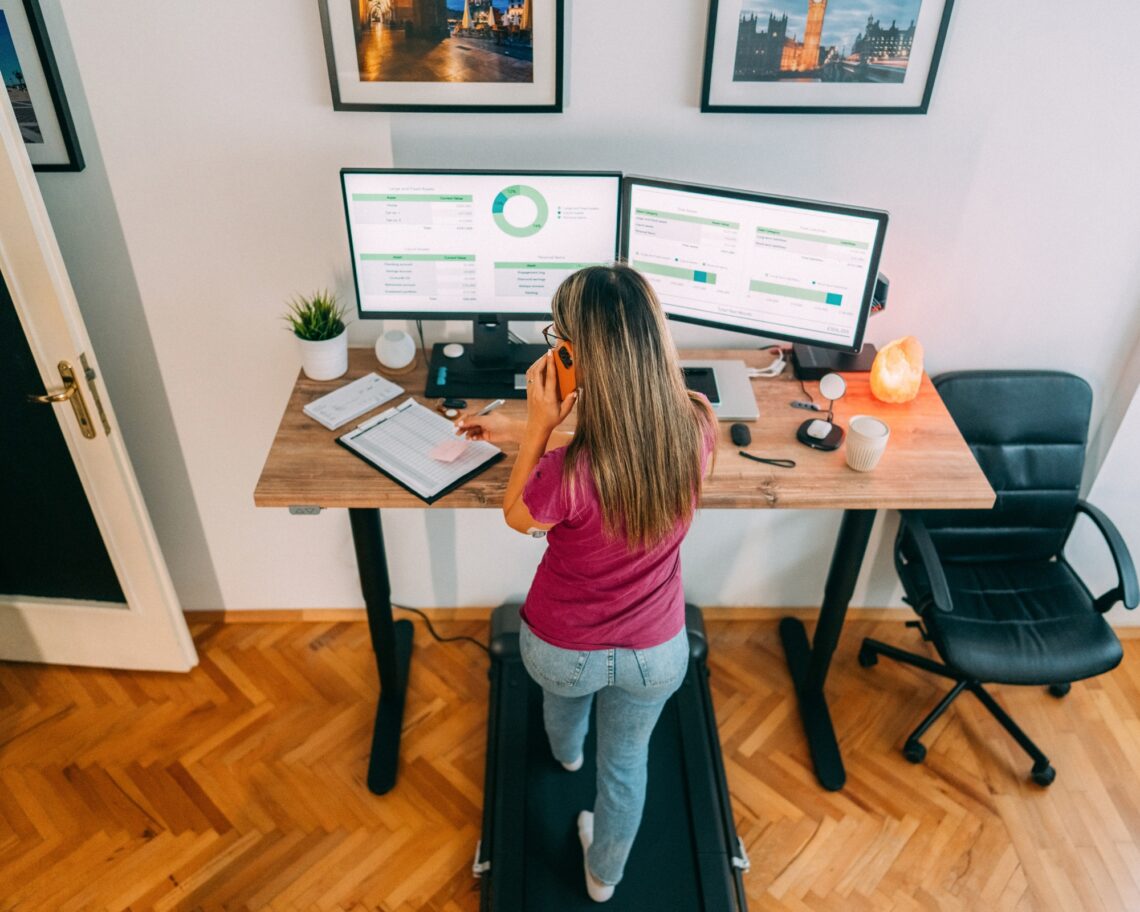
9 Best Standing Desk Accessories: Anti-Fatigue Mats, Monitor Arms & More
Table of Contents
A standing desk on its own only solves half the problem. Without the right accessories, you’re still working with a screen at the wrong height, cables running across the floor, no comfortable surface underfoot, and nowhere logical to put anything.
The accessories in this guide cover every meaningful category for a standing desk setup: ergonomics, comfort, cable management, power, monitor positioning, and storage. Every product is available on Amazon and chosen because it solves a specific, real problem rather than just looking good in a setup photo.
Whether you’ve just bought your first standing desk or have had one for years and want to make better use of it, this guide covers what’s actually worth adding.
⭐ Our Top Pick
ComfiLife Anti-Fatigue Standing Mat
The most important accessory for anyone who uses a standing desk regularly
Standing on a hard floor for hours causes fatigue in your feet, legs, and lower back faster than most people expect — and it’s the main reason people stop using their standing desks consistently. A quality anti-fatigue mat eliminates that friction. The ComfiLife is 3/4″ thick memory foam with a bevelled edge, covers 20×39 inches, and is durable enough for years of daily use. It’s the accessory that makes standing actually sustainable.
Check price on Amazon →All 9 Accessories at a Glance
| Product | Category | Key Feature | Best For | Price |
|---|---|---|---|---|
| ComfiLife Anti-Fatigue Mat ⭐ | Ergonomics | 3/4″ memory foam, bevelled edge, 20×39″ | Reducing standing fatigue | $$ |
| EleTab Dual Monitor Arm | Ergonomics | Dual arm, full motion, gas spring | Eye-level screen positioning | $$ |
| Under-Desk Cable Management Tray | Ergonomics | Hides power strips + cables under desk | Clean, cable-free desk surface | $ |
| VIVO Keyboard Tray | Comfort | Height + tilt adjustable, slides under desk | Correct wrist angle while standing | $$ |
| Logitech MX Vertical Mouse | Comfort | 57° vertical angle, Bluetooth, rechargeable | Reducing wrist and forearm strain | $$$ |
| VIVO Desk Converter | Comfort | Sits on existing desk, raises/lowers | Sit-stand without buying a full desk | $$ |
| FEZIBO Balance Board | Comfort | Wobble board, engages core, anti-fatigue | Active standing, core engagement | $$ |
| Clamp-On Desk Power Outlet | Storage & power | Clamps to desk edge, AC + USB ports | Desk-level power without cable runs | $$ |
| VIVO Dual Monitor Stand | Storage & power | Freestanding, bolt-through, adjustable height | Dual screen without arm installation | $$ |
Ergonomic Add-Ons for Standing Desks
The three most impactful ergonomic accessories for a standing desk address comfort underfoot, screen positioning, and cable management — in roughly that order of daily importance.
An anti-fatigue mat
An anti-fatigue mat is non-negotiable for regular standing desk use. Hard floors cause fatigue in your feet and lower back within an hour of standing, which is the main reason people stop using their desks in a raised position.
A quality memory foam mat eliminates this friction and makes standing genuinely comfortable for extended periods. The ComfiLife mat is 3/4″ thick, covers 20×39 inches, and has a bevelled edge that prevents tripping.
A monitor arm
A monitor arm replaces the static position of a standard monitor stand with full adjustability. When you switch between sitting and standing, your monitor needs to move with you — otherwise you’re craning your neck up at a screen positioned for sitting.
A dual monitor arm handles this for both screens simultaneously, and the gas spring mechanism means repositioning takes a single hand and a second. Built-in cable management routes monitor cables along the arm rather than hanging loose.
Cable management
A cable management tray under the desk is particularly important for standing desks because the desk moves, which means loose cables get tangled, pulled, or stepped on when you adjust the height.
A tray mounted under the desk surface contains the power strip, adapter bricks, and cables in one hidden compartment that moves with the desk.
Accessories for Enhanced Comfort and Functionality
Once ergonomics are sorted, three accessories address specific comfort and functionality gaps that most standing desk users encounter within the first few months.
A keyboard tray
A keyboard tray mounts under the desk and slides out when needed, positioning the keyboard and mouse independently of the desk surface height. This matters because the ideal keyboard height when standing is lower than the desk surface — a keyboard tray can be set 2-4 inches below the desk, keeping wrists in a neutral position while typing. It also frees up desk surface when not in use.
A vertical ergonomic mouse
A vertical ergonomic mouse like the Logitech MX Vertical holds your hand in a handshake position rather than palm-down. This reduces the forearm rotation that causes strain during extended mouse use — a particular issue when working in a standing position where small posture differences become more noticeable. The MX Vertical is Bluetooth, rechargeable via USB-C, and connects to up to three devices.
A desk converter
A desk converter is worth considering if you have a standard desk and want sit-stand functionality without purchasing a full standing desk. It sits on your existing desk surface and raises the monitor, keyboard, and mouse simultaneously to standing height. The VIVO model adjusts to multiple heights and folds flat when not in use.
Standing desk balance board
The FEZIBO balance board takes an additional step beyond static standing: it introduces gentle movement while you stand by incorporating a wobble board base, which engages core muscles and reduces the leg fatigue that comes from completely static standing. It’s a useful addition once you’re already using a standing desk consistently and want to make standing more active.
Storage and Organization Solutions
Two accessories solve the power and monitor positioning challenges specific to standing desks:
Power outlet
A clamp-on desk power outlet attaches to the edge of the desk surface and provides AC outlets and USB ports at desk level — eliminating the need to run cables down to a floor-level power strip. When the desk raises and lowers, the power outlet moves with it.
This is the cleanest solution to the cable management problem that every standing desk creates: devices plug in at desk level, and the cable management tray handles everything below.
Monitor stand
A freestanding dual monitor stand handles two screens without requiring arm installation into the desk. Unlike monitor arms, which clamp onto the desk edge or grommet, a freestanding stand sits on the desk surface and adjusts in height independently, and that is very useful if you have a thinner desktop that doesn’t support C-clamp mounting or if you want to avoid any permanent installation.
Final Words
A standing desk is only as useful as how consistently you use it standing, and consistency depends almost entirely on how comfortable and practical the setup feels. The anti-fatigue mat and monitor arm are where most people should start, because they address the two most common reasons standing desks end up locked in the seated position.
Add cable management next to eliminate the tangle that height adjustment creates, and then address keyboard positioning, power access, and monitor mounting once the fundamentals are in place. Every accessory in this guide is available on Amazon and links directly to the product.
Related Reads


You May Also Like

7 Space-Saving Desk Solutions for Small Home Offices: Storage, Desks & More

Best Standing Desks: Revolutionizing the Way We Work